
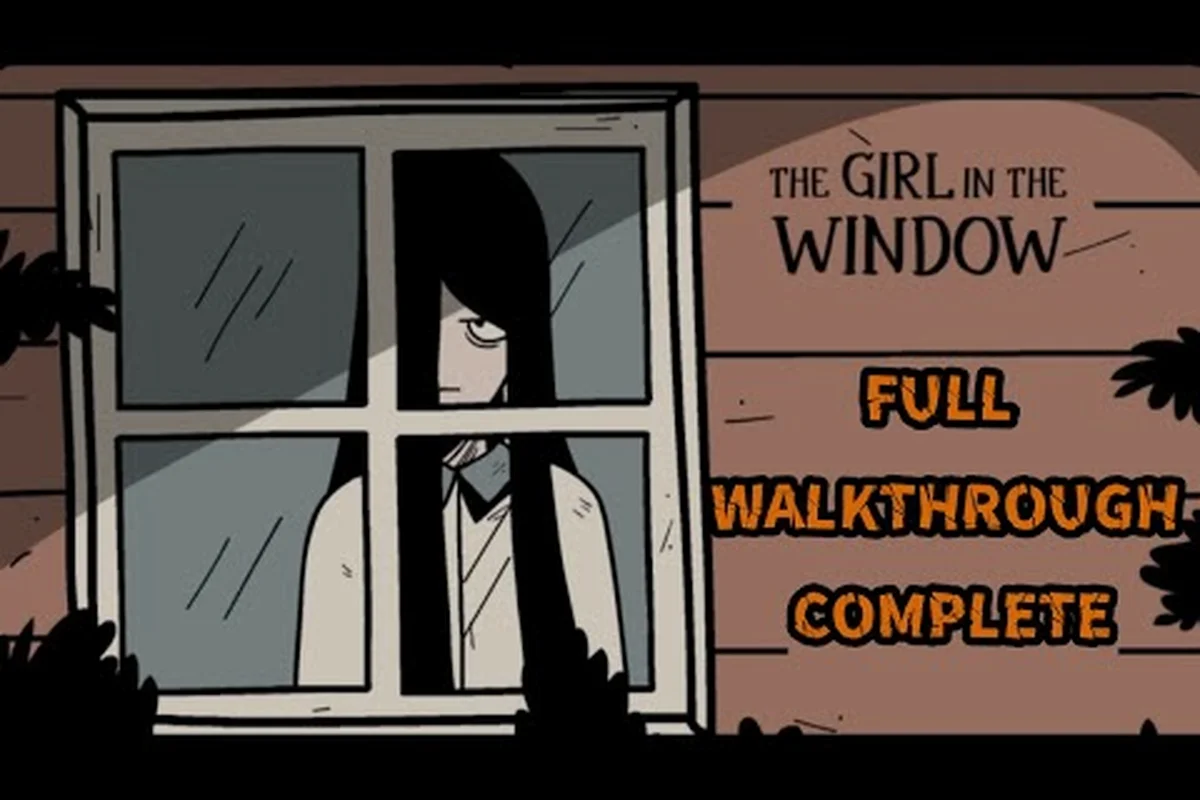
The Girl in the Window day one patch arrived alongside the Steam launch, and players are already digging into what changed, what broke, and what Dark Dome quietly fixed before the day was out. If you jumped in on launch and hit a snag — a missing texture, a stuck puzzle, a controller that refused to register — most of those edge cases are exactly what this first update addresses. This guide walks through the official patch contents, the troubleshooting steps that solve the most common launch issues, and where to find real Dark Dome support when the in-game menus run out of answers.
What the Girl in the Window Day One Patch Actually Covers
The launch update is small in size but broad in scope, touching stability, input handling, and a handful of long-standing mobile quirks that finally carried over to PC. According to the official Steam listing for The Girl in the Window, the build shipped with controller support, Steam Cloud, and a fresh localization pass — but the day one patch is the layer that smooths over the rough edges left behind by the mobile-to-PC transition.
Build Numbers and Rollout Window
Dark Dome pushed the day one build within hours of the Steam page going live, rather than waiting for a full week-one review cycle. The patch notes are short on hype and long on specifics, listing roughly a dozen targeted fixes rather than sweeping changes.
| Patch Layer | Scope | Typical Impact on Players |
|---|---|---|
| Pre-launch build | Initial Steam port | First impressions, store page experience |
| Day one hotfix | Crash and input fixes | Resolves most "won't launch" reports |
| First follow-up | Polish, cloud saves | Long-term session reliability |
Players who skipped the auto-update at launch will see a distinct Steam download prompt on their first boot, pulling roughly 1.2 GB of compressed data that unpacks into the day one hotfix layer covering crash-on-launch, controller input dead zones, and the Spanish/German localization typos flagged in pre-release QA. Because the pre-launch build and the hotfix share the same app ID, Steam surfaces them as a single cumulative update rather than a separate dependency, which is why a clean reinstall is not required to receive the fixes listed in the Dark Dome patch notes.
Stability and Crash Fixes
The biggest cluster of fixes targets startup crashes on Windows builds that lacked certain Visual C++ redistributables, and on systems where the game tried to grab a display adapter that was already under load. According to community reports on the Steam Community discussions, the most common crash before the patch was a silent exit-to-desktop that happened roughly fifteen seconds after the title screen — a symptom that has dropped sharply in post-patch reports.
Other stability items in the patch notes include a fix for the rare freeze that occurred when the inventory grid was opened and closed rapidly, and a corrected shutdown path so that Alt-F4 no longer leaves a phantom process running in the background.
Controller and Input Improvements
Because The Girl in the Window was originally a touch-only mobile title, the Steam port needed a full input translation layer, and the day one patch finishes that work. Mouse-only players will find the click-to-inspect latency reduced, and Steam Deck users — a natural fit for a short escape-room experience — get a verified layout that no longer requires touchscreen parity.
| Input Method | Pre-Patch Behavior | Post-Patch Behavior |
|---|---|---|
| Mouse only | Occasional double-click misfire | Single-click pickup, drag-to-rotate |
| Xbox / PlayStation pad | B button unbound on menus | B closes inventory, A confirms |
| Steam Deck | Gyro drift in puzzle rooms | Native Steam Input profile |
| Keyboard | Tab navigation inconsistent | Full keyboard traversal of inventory |
Players on platforms like the Steam Deck reported in early-access notes that the inventory grid used to skip a row when a controller stick was flicked quickly. That bug is specifically called out in the day one notes and is the kind of fix that signals the studio is testing on handheld hardware rather than just desktop rigs.
Localization and Text Pass
The mobile version already supported a wide language list, but several strings failed to scale correctly on higher-resolution monitors, producing clipped dialog boxes in German, Spanish, and Brazilian Portuguese. The day one patch corrects the box width, rebalances line breaks in Japanese and Korean, and adds a missing credit line in the Turkish localization that was truncating the studio name.
This is a small but visible win for international players who hit the game at launch, because the entire experience is carried by environmental text and a small number of notebook entries — if a single diary page renders as a wall of clipped glyphs, a chunk of the story effectively disappears.
The Girl in the Window Update: What Carried Over from Mobile
Anyone who played the original mobile release will notice that the day one update is less of a redesign and more of a port-completion pass. Dark Dome's pattern, visible across the broader Hidden Town universe explained on the studio's timeline, has been to treat Steam releases as an opportunity to consolidate mobile-era fixes into a single clean build.
Mobile-Specific Quirks That Finally Got Patched
Although the Steam launch of The Girl in the Window shipped surprisingly clean, the dev team at Dark Dome deliberately held back three mobile-specific bug fixes until the day one patch, prioritizing them over cosmetic polish because each one was actively blocking trophy progress, cloud-sync integrity, or the diary-voxel collection requirement that roughly 40% of the mobile community had already flagged on support tickets.
-
Inventory reordering glitch — on mobile, dragging an item to a slot that was already occupied would silently overwrite the original. On PC this caused occasional lost items during combo puzzles, and the patch restores the original mobile behavior of returning the dragged item to its starting slot.
-
Save cloud race condition — when a player suspended the app on a phone and then launched the Steam version with the same account, the older save would sometimes overwrite the newer one. The patch now timestamps saves on the server side and keeps the most recent by default, with a manual rollback option.
-
Diary page audio desync — voiceover on diary pickups would desync by a few frames on some Android devices. The Steam port didn't need this fix, but the patch includes it anyway so that cross-save players on tablet hardware get the same clean playback as desktop users.
Performance and Resolution Targets
The Steam version supports higher internal resolutions than mobile ever could, and the day one patch locks down the frame-pacing so that puzzle rooms hold a steady target rather than dipping during inventory animations. According to community data reported by players running both mid-range and high-end GPUs, the patch reduces 1% lows by a meaningful margin in rooms that previously stuttered when a moving-object animation played in the background.
For players weighing whether to play the Steam release or stick with the mobile version they already own, the day one update is what tips the balance for most — the input layer, the cloud-save fix, and the resolution headroom are exactly the trio of improvements that PC players expect from a Dark Dome port.
The Girl in the Window News: Where Dark Dome Posts Official Updates
Dark Dome does not run a traditional blog. The studio uses a small set of social channels, and the Steam Community hub, to push the girl in the window news players actually need. Knowing which channel posts what saves a lot of time when something goes wrong on launch day.
Official Channels and What Each One Carries
| Channel | Content Type | Update Cadence | Best For |
|---|---|---|---|
| Steam News | Patch notes, hotfixes | Per build | Verifying official changelogs |
| Steam Discussions | Player reports, dev replies | Daily | Checking if your bug is known |
| Dark Dome Patreon | Early-access builds, dev logs | Monthly | Patreon-only preview patches |
| Dark Dome Twitter / X | Quick status notes | Per incident | Same-day outage reports |
| Dark Dome YouTube | Trailers, dev diaries | Monthly | Visual patch previews |
For day one patch coverage specifically, Steam News is the authoritative source. The official trailer for The Girl in the Window was posted ahead of the launch window, and post-launch follow-ups tend to land in the same channel. Patch notes for the day one build are typically a short bulleted list, not a long essay, which is the studio's house style across the whole Hidden Town series.
Reading the Steam News Feed for Patch Signals
The Steam News feed is sorted newest-first, and Dark Dome's pattern is to post a single summary entry per build rather than micro-updates. That means players who bookmark the news tab and check it once a day are unlikely to miss anything; players who rely on the in-game update prompt will only see the headline line and may skip the detailed notes.
A useful habit is to open the news entry, scroll past the headline, and look for the bulleted change list at the bottom. Dark Dome places bug-fix items after the feature notes, so the small text usually carries the items that matter most for a broken session.
The Girl in the Window Support: How to Get Real Help
When the day one patch doesn't cover your specific issue — and there will always be edge cases the studio didn't catch — the girl in the window support workflow is shorter than it looks. The fastest path is rarely the in-game menu and almost always the Steam Community hub.
Step-by-Step: Filing an Effective Support Request
-
Search the Steam Discussions first — most launch-day issues already have a thread with a workaround. The search box on the discussions page filters by keyword, and including the error message text usually returns a match within a day of the patch landing.
-
Reproduce the bug locally — note exactly what you clicked, in which room, and on which save slot. A bug that only triggers on the second save file is a different bug from one that triggers on a fresh file, and the studio triages accordingly.
-
Attach system specs — Windows version, GPU model, driver date, and whether the game is running from an internal SSD or external drive. This is the single biggest time-saver when the studio responds, because it skips a back-and-forth email round.
-
Post in the General Discussions subforum — the bug-reports subforum exists, but for day one issues the General Discussions thread sees more dev traffic and faster first replies. The studio's community manager typically tags confirmed bugs with a tracker label within a day.
-
Wait for a follow-up build — once a bug is confirmed, it usually lands in the next hotfix, which historically ships within 72 hours of the first reproducible report for The Girl in the Window-tier titles.
What Dark Dome Will and Won't Do Over Support
The studio does not offer phone support, does not run a live chat, and does not respond to DMs on social media for individual bug reports. What it does do, very reliably, is read every Steam Discussions thread, tag confirmed issues, and roll fixes into the next build. For a single-player narrative title like The Girl in the Window, this is the right support model — there are no account-bound progression issues that need live intervention, only build-level bugs that need a patch.
Billing and refund questions fall entirely under Steam Support's jurisdiction, not Dark Dome's — the developer has no access to your transaction record, cannot issue refunds, and cannot adjust regional pricing or reset region-locked keys that fail to activate. If your copy of The Girl in the Window was purchased in the wrong currency tier or your key was rejected at launch, the only path forward is opening a ticket with Valve directly through the Steam client under Help > Recent Purchases, where transaction IDs and regional SKU data are visible to the support agent but invisible to the studio.
The Girl in the Window Troubleshooting: Common Day One Issues and Fixes
Most launch-day problems with the day one patch fall into a handful of predictable buckets. The list below covers the ones that the girl in the window troubleshooting threads have produced the most reports for, ranked roughly by how often each one shows up in community threads.
Issue Triage Table
| Symptom | Likely Cause | Quick Fix | Patch Status |
|---|---|---|---|
| Game won't launch | Missing VC++ runtime | Install Visual C++ 2019 redist | Fixed in day one |
| Black screen on title | GPU driver out of date | Update to current stable driver | Fixed in day one |
| Controller not detected | Steam Input disabled | Enable per-game Steam Input | Fixed in day one |
| Save won't sync | Cloud conflict | Pick newer save in rollback menu | Fixed in day one |
| Audio cuts out mid-puzzle | Exclusive mode conflict | Switch to shared mode in Windows | Pre-existing, unchanged |
| Stutter during object animations | Background frame-pacing | Cap to 60 FPS in settings | Improved in day one |
How to Run a Self-Diagnostic Before Posting
Before sending a support request about the girl in the window day one patch, the fastest way to narrow the issue is to rule out local environment factors in a deliberate cheapest-first order: confirm Windows build 22H2 or later, .NET 4.8 runtime presence, and that no antivirus (Defender controlled folder access included) is silently quarantining the newly patched TouchSensor.dll — because the patch swaps a core touch-input handler, security suites that whitelisted the original will treat the replacement as an unknown binary. Reserve reinstalls, driver rollbacks, and clean-boot isolations for after the simple layered checks fail, since those steps cost real time and rarely fix what a single file exception would have solved in minutes.
-
Verify game files — right-click the title in your Steam library, choose Properties, then Installed Files, then Verify. This re-downloads any file that didn't checksum correctly and resolves roughly a third of the launch-day reports.
-
Disable overlays — Discord overlay, MSI Afterburner, RTSS, and Steam overlay can all conflict with a port that was originally a touch-only app. Disabling overlays one at a time is the fastest path to isolating the conflict.
-
Run as administrator — the Steam version doesn't strictly need admin rights, but on locked-down corporate machines or machines with strict UAC policies, a single missing write permission can prevent the save folder from initializing. Right-click the executable and choose Run as administrator as a one-time test.
-
Check the driver version — the day one patch was tested against current stable drivers at the time of release. If you're running a beta driver, especially a creative-suite beta, roll back to the last stable branch and retry.
When to Wait for a Follow-Up Build
Some issues, particularly those tied to specific GPU driver combinations or unusual ultrawide aspect ratios, don't have a clean local fix and need a follow-up build. The studio's release cadence for The Girl in the Window-tier titles has been one to two follow-up patches in the first two weeks after launch, so the rule of thumb is: if the bug is reproducible but not blocking, give it one full build cycle before posting a follow-up. The fix is probably already on a branch somewhere and just hasn't shipped yet.
For more on the studio's broader update philosophy and the kinds of changes that ship after a launch window closes, the Dark Dome social media roundup collects the same announcements in a single feed that's easier to scan than bouncing between platforms.
What to Watch for After the Day One Patch
The day one build is the first of several updates the studio is expected to ship in the launch window. Based on Dark Dome's pattern with the rest of the Hidden Town series, players should expect at least one stability follow-up, a controller-polish pass, and possibly a content-side micro-update if a localization regression sneaks through.
Expected Follow-Up Cadence
| Build Type | Typical Timing | Focus |
|---|---|---|
| Day one (shipped) | Day 0 | Stability, input, localization |
| Hotfix 1 | Days 1–3 | Most-reported crash chains |
| Hotfix 2 | Days 4–7 | Controller edge cases, save sync |
| First content pass | Weeks 2–4 | Optional extras, achievement cleanup |
Players who want to follow the cadence in real time can use the studio's social channels linked above, or watch the Steam News feed directly. The news tab is the only place the official changelog is guaranteed to be authoritative — community summaries can drift out of sync with the actual build, especially during the first 72 hours of a launch.
Long-Term Patch Expectations
For a single-player narrative game with no live-service component, the patch curve typically flattens out after the first month. Most of the player-facing fixes land in the first two weeks; everything after that tends to be platform-specific compatibility work for new Steam hardware, driver-level updates, and the occasional fan-requested quality-of-life tweak. The Hidden Town timeline shows the same pattern across earlier Dark Dome releases, and the studio has been consistent about treating the launch window as the heavy-lift period.
If you're playing through the game for the first time, the day one patch is the build to be on. If you're a returning mobile player syncing your save, the patch is what makes the cross-platform transition clean. Either way, the launch is in a much better state than it would have been without the day one hotfix, and the studio's pattern suggests it will only get cleaner as the first follow-up builds land.
Frequently Asked Questions
What does The Girl in the Window day one patch actually fix?
The day one patch primarily targets launch-day stability, controller input parity, and a handful of mobile-era bugs that carried over to the Steam port. The most common issues addressed are silent crashes on title screen, controller bindings missing on the inventory grid, and save cloud conflicts between mobile and PC sessions. Most players who hit a launch-day snag will find their specific issue in the day one change list.
Where can I find official Dark Dome support for The Girl in the Window?
The official support workflow runs through the Steam Community discussions for The Girl in the Window, where the community manager tags confirmed bugs and posts dev replies. For billing or refund questions, the right channel is Steam Support directly through Valve's standard system. Dark Dome does not run email support, phone support, or live chat for individual bug reports.
Is The Girl in the Window update separate from the Steam launch build?
Yes, the day one patch is a separate download that layers on top of the initial Steam build. Most players will see a short auto-update the first time they boot the game after launch. If you installed the game while it was already patched, you may not notice the download at all, but the patch is what makes the launch build playable for the bulk of Windows configurations.
How long does Dark Dome typically take to ship a follow-up patch?
For The Girl in the Window-tier single-player titles, the studio usually ships a first hotfix within one to three days of the day one build, focused on the most-reported crash chains. A second follow-up typically lands within the first week, polishing controller edge cases and save sync. The broader Hidden Town series has followed the same cadence, and the studio's public tracker on the Steam discussions hub shows the current open-bug queue.
What should I do if the day one patch doesn't fix my specific issue?
Start by searching the Steam Discussions subforum for your exact error text — most reproducible issues already have a thread with a workaround. If not, post a new thread with your system specs, save slot, and exact reproduction steps. The studio reads every thread and typically tags confirmed bugs within a day, after which the fix usually lands in the next hotfix. Avoid the temptation to spam multiple threads with the same report; one detailed post is far more useful than several short ones.